RHEL 7 Tutorial Managing Files and Directories
In Linux Operating System Everything is considered as a File. If you know Managing Files...
Hands-On Technical Tutorials
In Linux Operating System Everything is considered as a File. If you know Managing Files...
by Ravi Kumar Ankam · Published February 11, 2017 · Last modified May 24, 2026
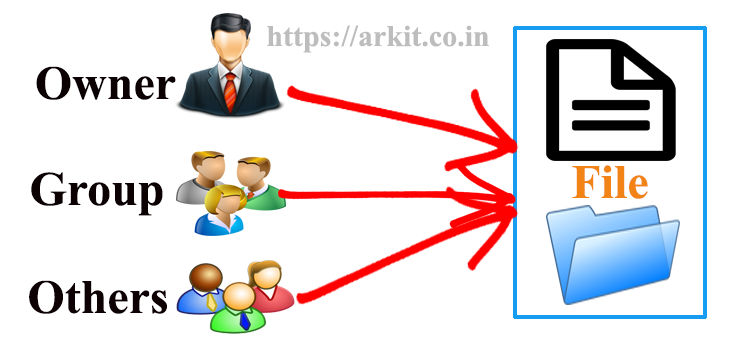
Chmod command understanding how-to grant file permissions why i said title like that, because chmod...

Centos / Fedora / Linux / RHEL7 / Ubuntu
by Ravi Kumar Ankam · Published February 5, 2017 · Last modified May 24, 2026
Search for files in a directory hierarchy, finding the files and directories in Linux is...

We came across one special requirement. We have number of ESX servers, there are N...
vnstat is a command line network traffic monitoring tool for Linux and Berkeley Software Distribution...

Linux / Redhat Linux / rhel56 / RHEL7
by Ravi Kumar Ankam · Published January 20, 2017 · Last modified May 24, 2026
Red Hat Enterprise Linux 7 is an major / drastic change to enterprise. To serve...

Linux / Scripting / shell scripting
by Ravi Kumar Ankam · Published January 6, 2017 · Last modified May 24, 2026
While searching on Internet found very interesting and useful website which helps you, Debug shell...

Centos / Fedora / Linux / RHEL7
by Ravi Kumar Ankam · Published January 3, 2017 · Last modified May 24, 2026
The question here it is how to change user login shell.? Or how to change...

by Ravi Kumar Ankam · Published December 29, 2016 · Last modified May 24, 2026
Creating / add user without using useradd command not an good suggestion but still required...

by Ravi Kumar Ankam · Published December 24, 2016 · Last modified May 24, 2026
In this article we are going to learn about watch command. Watch runs commands repeatedly....
by Ravi Kumar Ankam · Published December 22, 2016 · Last modified May 24, 2026
In this article we are going to see ps command Linux as video session. ps command...

by Ravi Kumar Ankam · Published December 21, 2016 · Last modified May 24, 2026
Top command provides a dynamic real-time view of a running system. It can display system...
Subscribe to ARKIT and receive Linux, AWS, DevOps, Storage and troubleshooting updates directly in your inbox.
No spam. Only useful technical updates.
We use cookies to improve your experience on our site. By using our site, you consent to cookies.
Manage your cookie preferences below:
Essential cookies enable basic functions and are necessary for the proper function of the website.
These cookies are needed for adding comments on this website.
Google Tag Manager simplifies the management of marketing tags on your website without code changes.
Statistics cookies collect information anonymously. This information helps us understand how visitors use our website.
Google Analytics is a powerful tool that tracks and analyzes website traffic for informed marketing decisions.
Service URL: policies.google.com (opens in a new window)
Clarity is a web analytics service that tracks and reports website traffic.
Service URL: clarity.microsoft.com (opens in a new window)
You can find more information in our Cookie Policy arkit – Tech Tutorials and .


