apodio Linux for Music Lovers Installation Guide
As of we see Technically supported Linux distro’s but now we are going to see Linux distro for music apodio Linux for Music Lovers Installation Guide. As expected, most apps are sound-related, but you won’t be disappointed if you’re a photographer, filmmaker, or animator. Apodio has three different desktop recorders, so you can also use it for screencasting. One of the coolest apps is Stopmotion, which can capture input directly from cameras (including your webcam) and help you create wonderful timelapse photography.
Apodio Linux Hardware Requirement
- 20 GB Minimum Hard Disk space
- 2 GB Minimum RAM
- 512 MB Graphic Card (For Better application experience)
Apodio Linux Installation Process
First Step is to download apodio Linux ISO file and write into DVD.
Put the DVD into DVD drive then Start the machine
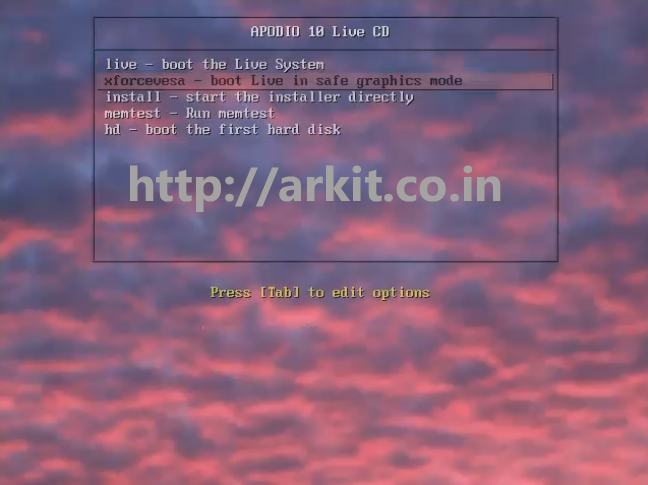
Above is the screenshot of first screen when you booting with DVD media
Select “Install – Start the Installer directly” hit Enter

Select Appropriate language and Click continue

3 step will verify the Hard Disk Space is matchining to 20GB Or not. If it is not matching required space then it will not highlight continue button
Click Continue
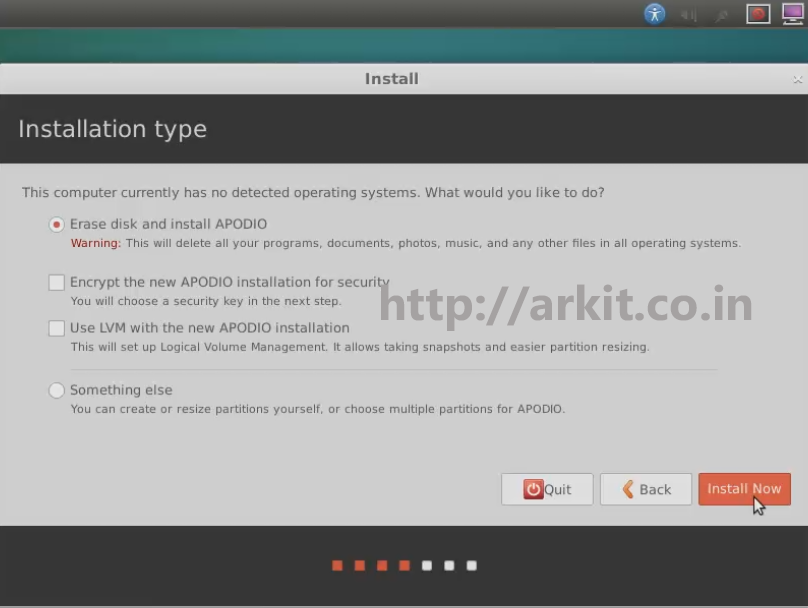
As shown in above screenshot 4 options available
- Erase Disk – Which will automatically erase total data on disk and install OS with default settings
- Encrypt – Hard disk will fully encrypted to provide full security
- Use LVM – Which will create default LVM’s
- Something else – Manually create partitions as per the requirement
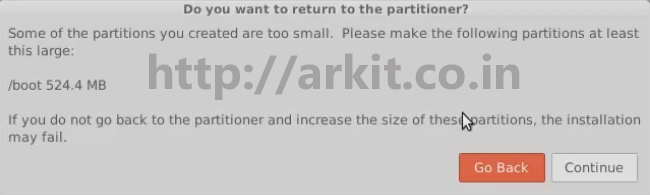
Click on Continue

Select Time zone then Click Continue
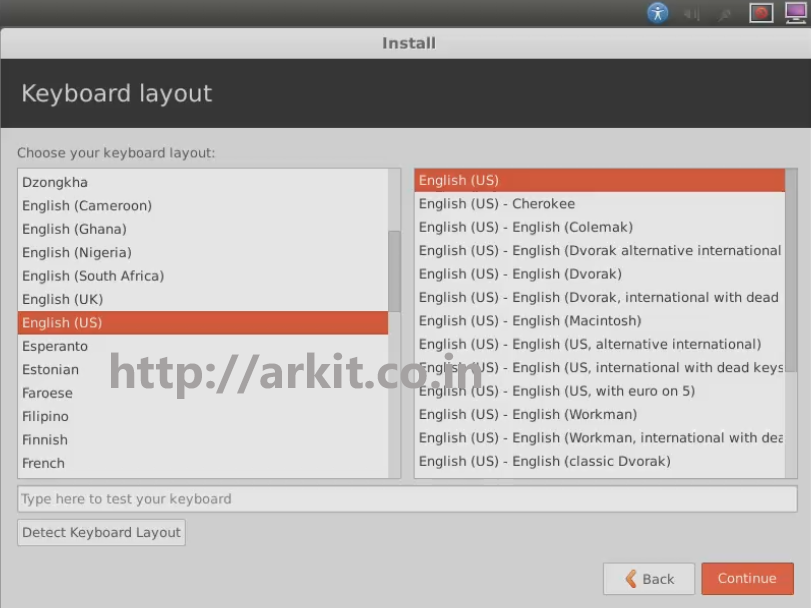
Select Keyboard Language (Layout) then click continue
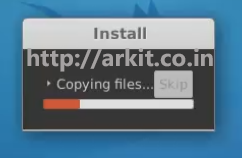
Required files will be copied
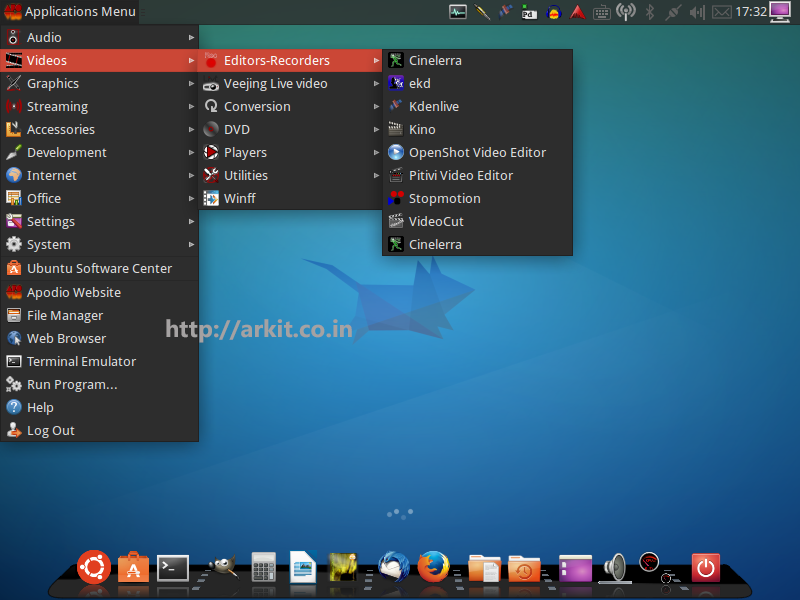
Apodio Linux is ready to use with so many applications installed in it.
That’s about this article
Please provide your valuable feedback on the same
Conclusion
Apodio Linux is for Music Lovers to editing music files, video files, Compiling music audio files
Thanks for Your Wonderful Support and Encouragement
More than 40,000 techies are part of our ARKIT community. Join us today and keep learning Linux, Cloud, Storage, DevOps, and IT technologies.


Disappointed in this application. Version 10 and 11 far too many resources and audio never functions with the Jack Server application. Very sluggish and poor performance. Liked the apperance and the multiple applications that it represents for Music and Audio if it would just work right it may be a great app. Not ready for prime time yet.